Step 2 — Find your way around
Goal
Recognise the landing page and know the ways in.
Background
The landing page is the application's front door. It offers several routes: straight into the data, into a guided tour, or into your own saved study areas.
Nothing here changes any data, so it is a safe place to look around.
Steps
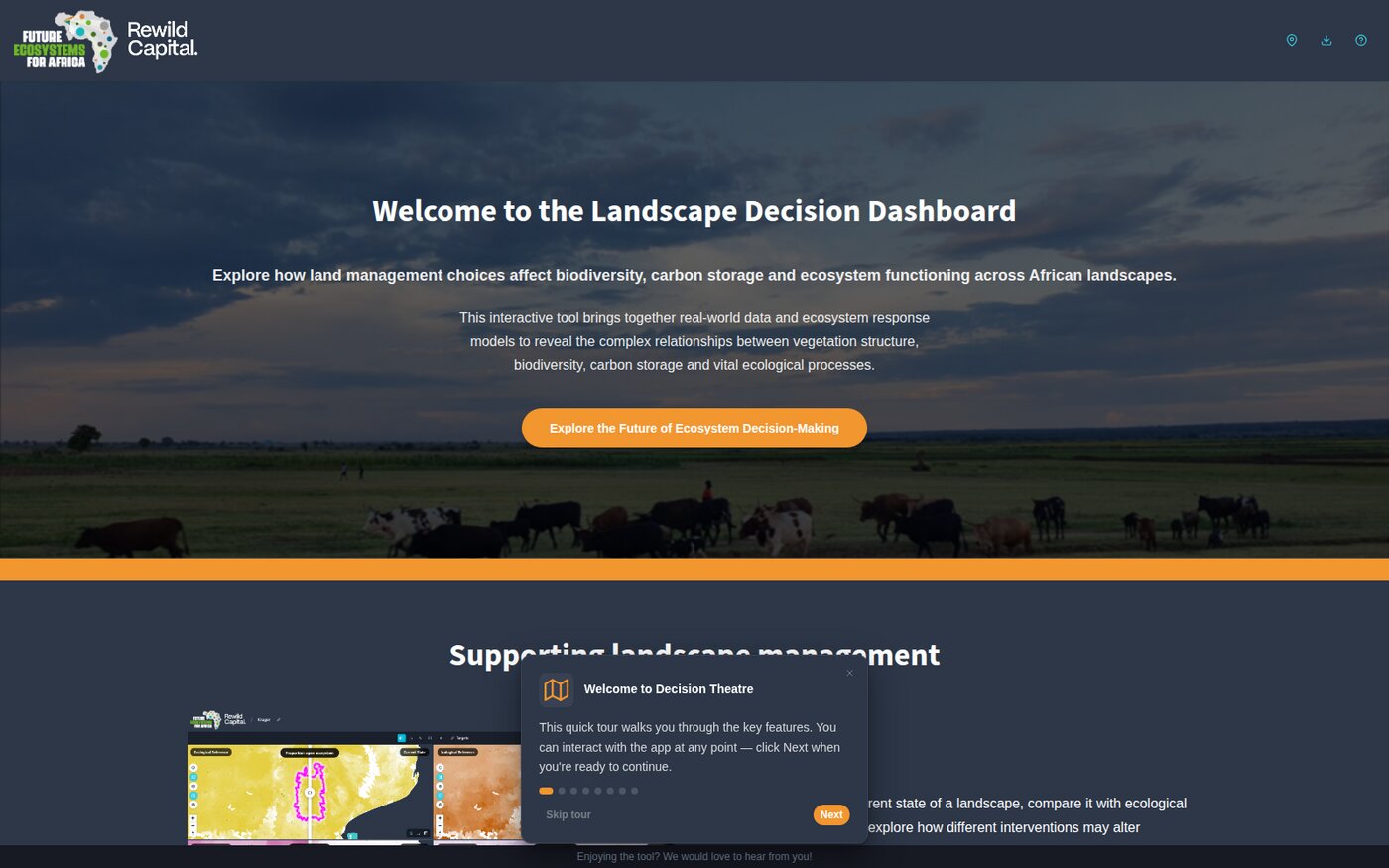
- Launch the application. You arrive at Welcome to the African Landscape Futures Dashboard.
-
Note the ways in:
- Explore the Future of Ecosystem Decision-Making — opens the map on the full dataset with no site loaded
- The FEFA and Rewild Capital Partnership — background on the organisations behind the tool
- Four audience cards — each starts a guided tour through a prepared example site
- Guided Tour — restarts the application's own onboarding walkthrough
-
The onboarding walkthrough starts automatically the first time you open the application. Step through it with Next, or dismiss it with Skip tour.
The header
Once you are past the landing page, the header is your constant navigation:
| Control | What it does |
|---|---|
| Home | Back to the landing page |
| My Sites (pin) | Your saved study areas |
| Indicators (bar chart) | The full indicator table for the open site |
| Tiles badge | Green when map tile data is loaded |
| Edit site boundary (pencil) | Boundary editing, on the map page |
| Documentation (help) | Opens this documentation beside the application |
What you achieved
- You can recognise the landing page and its four routes in
- You know what each header control does
- You know how to restart the onboarding walkthrough