Step 13 — Set target values
Goal
Say what you are aiming for, and see what it implies.
Background
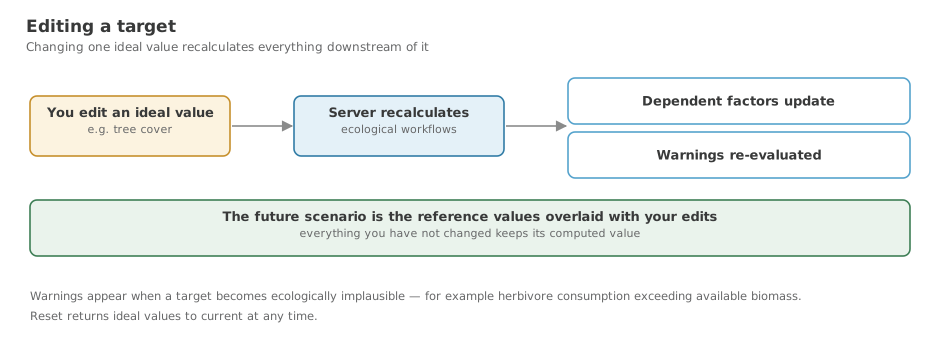
This is the point of the tool. Setting a target is not just annotation — the application recalculates the ecological consequences, so changing tree cover moves the factors that depend on it.
Target State starts equal to Current State. It only diverges where you make it.
Steps
Quick edit — the Targets panel
- In grid view, once the site has indicators, click Targets in the top toolbar. The editor docks into the right-hand side panel and the views shrink to make room, so the dials, charts and maps stay visible while you work.
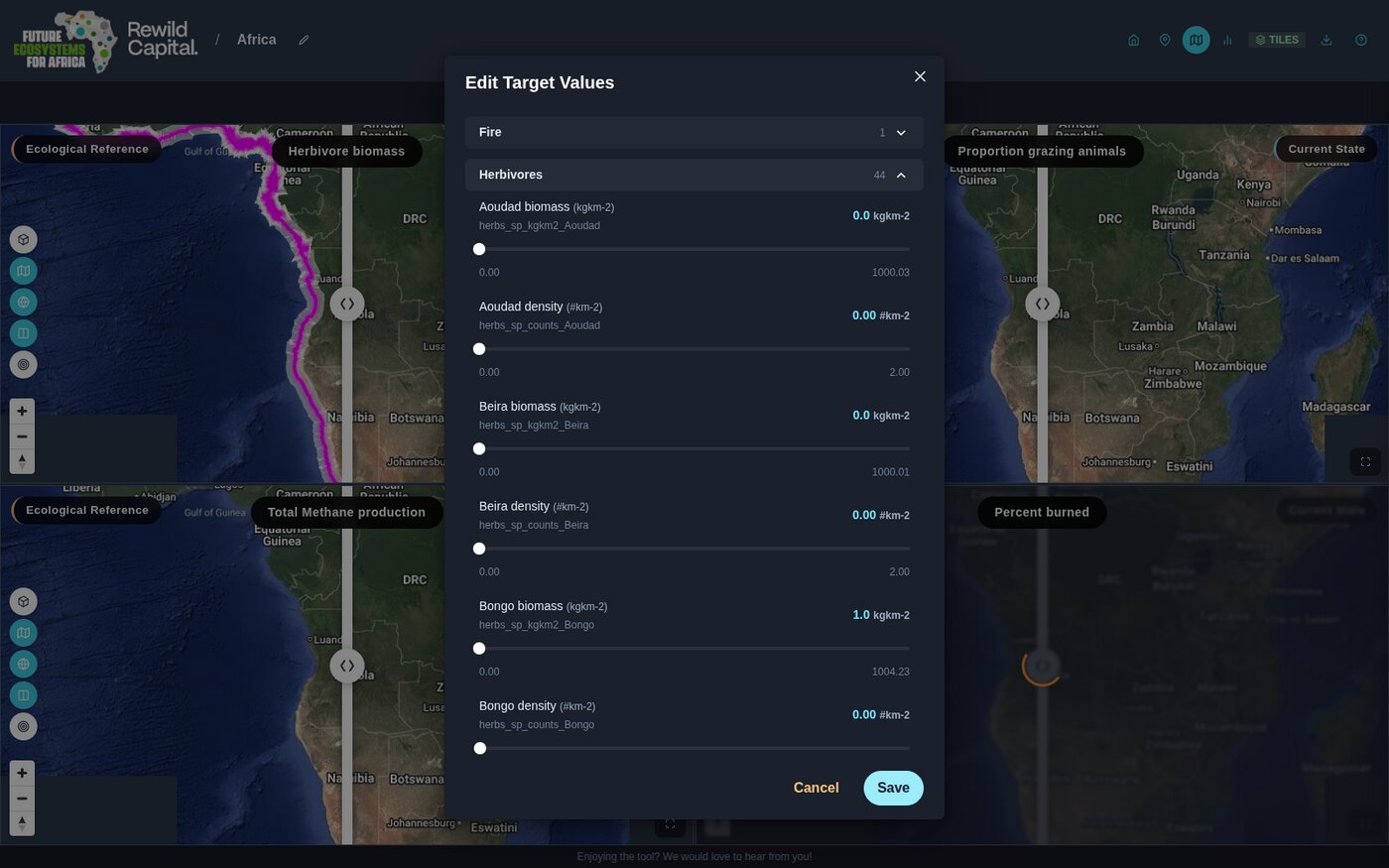
- Values are grouped by category — Fire, Herbivores, Vegetation Structure and so on — in a collapsible accordion.
- Expand a group to reveal a labelled slider per indicator, showing its current value, unit and allowed range.
- Drag a slider. Only the ones you actually move are applied, and there is nothing to save — the recalculation happens as you go. Dragging a slider back to where it started clears the target you set for it.
Live update
A recalculation rescores every catchment in the site, so what it costs depends on how big the site is. The Live update box at the top of the panel decides when it runs: ticked, the sliders and the charts behind them recalculate continuously as you drag; cleared, they wait until you let go.
It starts ticked on sites of 20 catchments or fewer and cleared on larger ones. Tick or clear it yourself and that choice sticks — across sites and across sessions — so a large site can be dragged live if your machine keeps up, and a small one need not be.
Full editor — the Indicators page
For finer control, use the Indicators page from the previous step, which exposes every indicator with its bounds.
Seeing the result
Set Scenario 2 (Right) to Target State and the map, chart, dial and table all redraw against your target rather than current conditions.
Targets are checked for plausibility
Saving a target that is not ecologically plausible raises a warning — for example setting grazing intake more than ten times current plant productivity shows "Herbivore consumption is higher than available biomass." This is an early-stage check and more rules may be added.
What you achieved
- You can set target values for any indicator
- You can choose whether the landscape recalculates as you drag or after
- You have seen dependent factors recalculate
- You can compare Target State against Current on any view