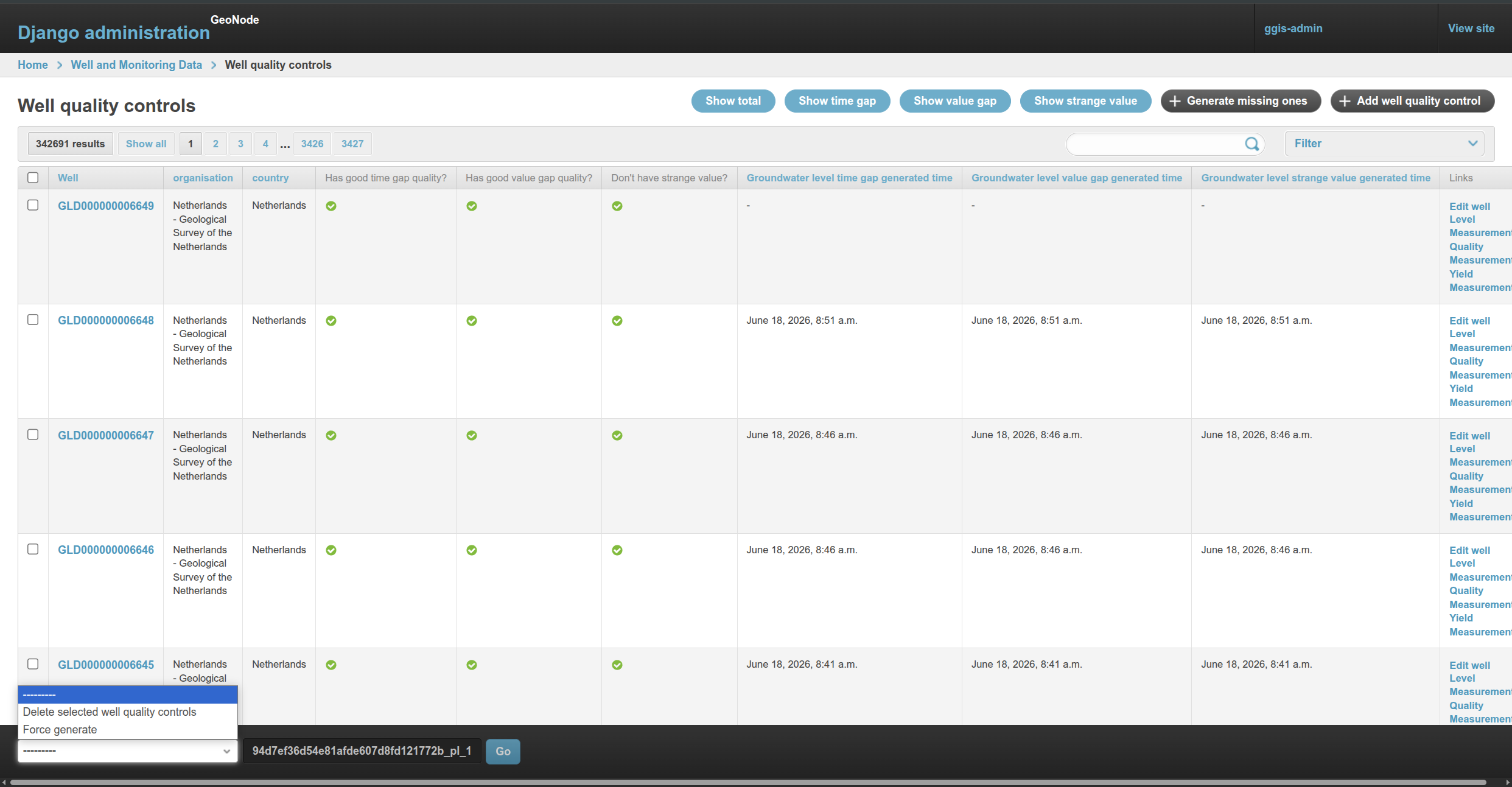
Quality Control
🚀 Introduced in
gwml2 v4.12.4— August 13, 2025
Well quality control is implemented via the WellQualityControl model in
gwml2/models/well_quality_control.py. Each well has a one-to-one
WellQualityControl record that is created automatically when a new Well is
saved (via a post_save signal).
Calling WellQualityControl.run() executes all three checks sequentially.
Each check is skipped if it has already been run (its _generated_time field
is already set), so repeated calls are safe and cheap.
Model Fields
| Field | Type | Description |
|---|---|---|
groundwater_level_time_gap |
JSON | Measurement pairs where the time gap exceeds the configured threshold |
groundwater_level_time_gap_generated_time |
DateTime | Timestamp of last time-gap check |
groundwater_level_value_gap |
JSON | Measurement pairs where the level jump exceeds the configured threshold |
groundwater_level_value_gap_generated_time |
DateTime | Timestamp of last level-gap check |
groundwater_level_strange_value |
JSON | Measurements matching the strange-value SQL filter |
groundwater_level_strange_value_generated_time |
DateTime | Timestamp of last strange-value check |
Time Gap Check
Method: gap_time_quality() — well_quality_control.py:60
Finds the longest gap in days between consecutive level measurements using a
LAG() window function over well_level_measurement, partitioned by
well_id and parameter_id. If the largest gap meets or exceeds the threshold,
the result is saved to groundwater_level_time_gap.
Result shape (JSON):
{
  "parameter_id": 1,
  "current": "2024-01-15 00:00:00",
  "previous": "2021-01-01 00:00:00",
  "gap": 1110.0
}
Threshold: SitePreference.groundwater_level_quality_control_days_gap
— configurable via Site Preferences, default 1095 days.
Level Gap Check
Method: gap_level_quality() — well_quality_control.py:92
Finds the largest jump in value_in_m between consecutive level measurements
using a LAG() window function, ordered by time. If the largest jump meets or
exceeds the threshold, the result is saved to groundwater_level_value_gap.
Result shape (JSON):
{
  "parameter_id": 1,
  "time": "2023-06-01 00:00:00",
  "current": 45.2,
  "previous": -5.1,
  "gap": 50.3
}
Threshold: SitePreference.groundwater_level_quality_control_level_gap
— configurable via Site Preferences, default 50 metres.
Strange Value Check
Method: strange_value_quality() — well_quality_control.py:124
Queries well_level_measurement using a raw SQL WHERE clause from
SitePreference.groundwater_level_strange_value_filter. All matching rows
are saved to groundwater_level_strange_value.
Result shape (JSON — list):
[
  { "parameter_id": 1, "time": "2022-03-10 00:00:00", "value": 0 },
  { "parameter_id": 1, "time": "2020-11-05 00:00:00", "value": -9999 }
]
Filter: SitePreference.groundwater_level_strange_value_filter
— configurable via Site Preferences, default value_in_m IN (0, -9999).
Site Preferences
All thresholds and filters are configured in the Django admin under
Site Preferences (gwml2/models/site_preference.py):
| Preference | Default | Description |
|---|---|---|
groundwater_level_quality_control_days_gap |
1095 |
Max allowed gap in days between measurements |
groundwater_level_quality_control_level_gap |
50 |
Max allowed jump in metres between measurements |
groundwater_level_strange_value_filter |
value_in_m IN (0, -9999) |
PostgreSQL WHERE fragment to match erroneous values |
Running Quality Control
Automatic
Quality control runs automatically in two situations:
- On well creation — a
post_savesignal (well_quality_control.py:146) creates aWellQualityControlrecord for every newWell. - Via Celery task — the
run_well_quality_controltask (tasks/well_quality_control.py) runs on theupdatequeue and triggers the management command internally.
Management Command
python manage.py generate_well_quality_control
python manage.py generate_well_quality_control --ids 123,456 --force
Use --force to re-run checks even if they have already been generated.
Admin Action
In the Django admin, go to Gwml2 → Well Quality Controls, select one or more wells, then choose Force generate from the actions dropdown.